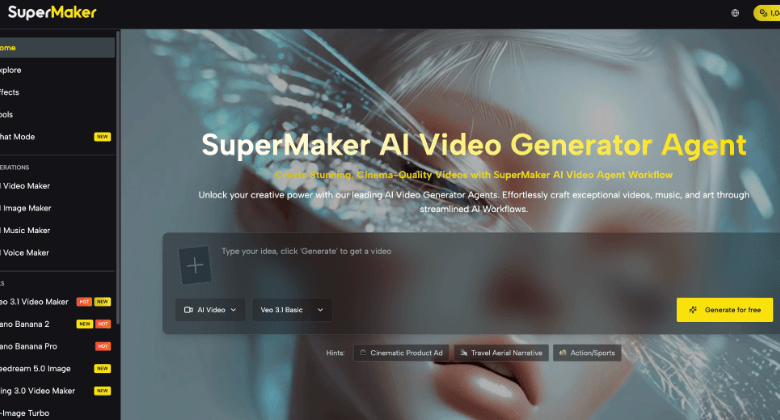
Most AI image platforms offer one model, one aesthetic, and one ceiling on creative output. SuperMaker AI Image Maker takes a fundamentally different approach — providing access to 9+ leading image generation models simultaneously inside a visual, node-based canvas workspace, so every image project gets the right model rather than the only available one.
Whether you are a content creator building social assets, a marketer producing branded campaign visuals, or an e-commerce seller generating product photography at scale, SuperMaker’s multi-model image generation combined with the AI Canvas Workflow Studio delivers a complete visual production workflow from one login.
What Is Multi-Model AI Image Generation?
Multi-model image generation means selecting the right model for each project — photorealism for one campaign, stylized illustration for another, style transfer for brand consistency work — without managing separate platforms or subscriptions:
Image Generation Models: SuperMaker provides access to 9+ leading image models in one platform — Gemini 3 Pro and Gemini 2.5 Flash for high-quality, versatile generation, GPT-4o Image and Z-Image Turbo for fast photorealistic output with strong prompt adherence, Flux Kontext for precise style transfer and contextual composition control, Qwen Edit for targeted image editing and refinement, Seedream for stylized and illustrative visual outputs, and Grok Imagine for creative and experimental generation. Every model is accessible from the same canvas node — switch between them in a single dropdown selection.
Why Multi-Model Access Defines SuperMaker’s Image Advantage
The output gap between image models is significant and intentional. Gemini 3 Pro produces different aesthetic results from Flux Kontext, which handles style transfer with compositional precision that Z-Image Turbo approaches from a speed-optimized angle. No single model is universally best across every visual format, campaign type, or brand requirement.
SuperMaker’s multi-model architecture delivers three practical advantages over single-model platforms:
- Output variety from one brief — The same prompt can generate entirely different aesthetic directions across models simultaneously, giving creators multiple options to evaluate before finalizing assets
- Model-to-format matching — Match each model to the format it produces best: Flux Kontext for style-consistent brand work, GPT-4o Image for photorealistic product shots, Seedream for stylized social content, Gemini 3 Pro for high-detail editorial visuals
- No platform switching — Switching models on SuperMaker takes one dropdown selection on the canvas. Switching between separate platforms requires new subscriptions, different interfaces, and rebuilt workflows
AI Canvas Workflow Studio — The Visual Production Layer
Multi-model image access alone does not complete a visual production workflow. The AI Canvas Workflow Studio is the infrastructure layer that connects individual image generations into automated, repeatable pipelines — and it is where SuperMaker’s multi-model advantage becomes a production system rather than just a tool.
Infinite Canvas & Visual Workflow
The Studio workspace is a zoomable, infinite canvas where every asset — image, video, text prompt, reference file — exists as a node. Drag nodes from the sidebar, connect them with handles, and build complex multi-step pipelines visually with no coding or timeline setup required. Every node and connection auto-saves in real time, and the workspace supports fluid panning, zooming, and keyboard shortcuts for professional-speed navigation.
Smart Creative Pipelines
Node connections are the core of the Studio’s production power:
- Text → Image → Video pipelines — Feed a text prompt into an image node, then connect the image output as the first frame for a video node — building a complete text-to-video pipeline with full visual control over the intermediate image
- Automatic connection validation — The system highlights compatible connections and prevents incompatible data flows, so pipelines run without manual error-checking
- Drag-and-drop pipeline building — No coding, no scripting, no technical configuration — connect nodes visually and the workflow executes in sequence
Batch Generation & Iteration
- Up to 4 variations per node — Generate multiple image outputs from a single prompt simultaneously, compare them side-by-side on the canvas, and set a favorite as the primary result
- “Based on This” exploration — Use any generated image as the starting point for a new variation branch, enabling rapid iterative exploration without re-entering prompts
- Batch processing — Run the same pipeline across multiple inputs simultaneously for high-volume asset production
Auto-Save & Version History
- Dual-layer save system — Changes save locally to the browser instantly and sync to secure cloud servers in the background, with offline support that syncs once connection restores
- Full generation history — Every generated asset is tracked in the History panel with full undo/redo support and visual thumbnails
- Multi-project dashboard — Manage multiple active projects from a single dashboard with visual thumbnails and timestamps
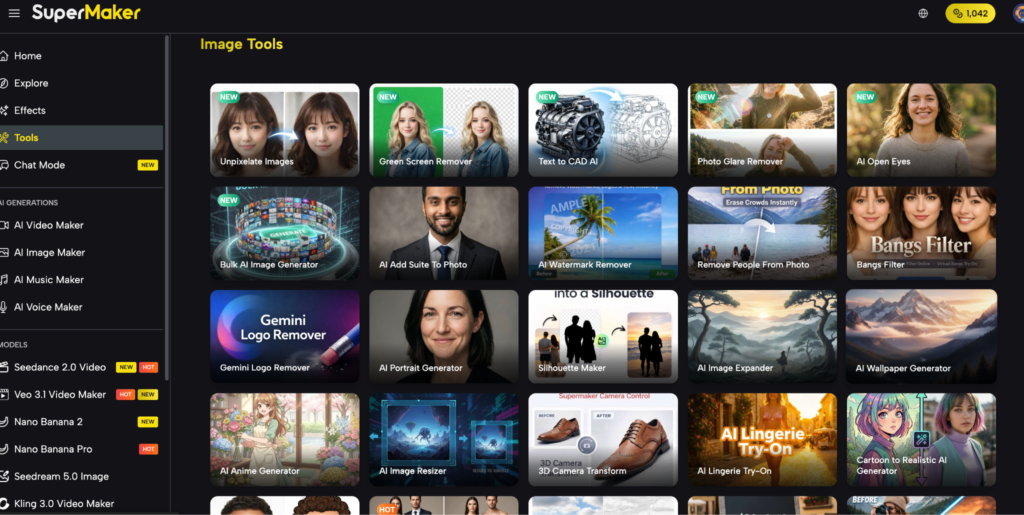
The Complete Multi-Model Image Production Workflow
The practical advantage of SuperMaker’s AI Image Maker is a complete, connected production pipeline inside a single canvas workspace:
- Open a new canvas project — Launch from the dashboard or use the quick-create form. The infinite canvas is your workspace — every node and connection auto-saves in real time from the first generation.
- Add nodes and select models — Drag Image, Video, and Text nodes from the sidebar. Select the generation model for each image node from the dropdown — Flux Kontext for style transfer, GPT-4o Image for photorealistic output, Seedream for stylized content — and set custom aspect ratios up to 21:9 or 4K resolution.
- Connect nodes and build the pipeline — Link text prompts into image generators, connect image outputs as reference frames for video nodes, and build Text → Image → Video pipelines visually. The system validates all connections automatically.
- Generate, iterate, and export — Hit Generate to produce results in seconds. Use batch generation for rapid variation exploration. Export high-resolution, watermark-free outputs directly from the canvas — ready for immediate use across every destination platform.
See also: The 10 Technical Due Diligence Questions Every PE Investor Should Ask Before Writing a Check
Who SuperMaker’s Multi-Model Image Platform Is Built For
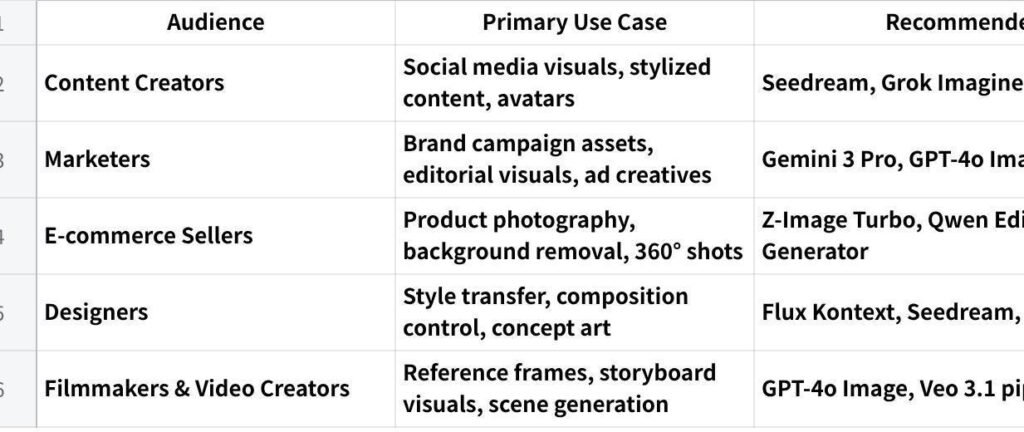
点击图片可查看完整电子表格
Pricing — Multi-Model Studio Access Across All Plans
All core Studio tools — including the infinite canvas, 9+ image models, and Veo video generation — are accessible on the free tier with no credit card required.
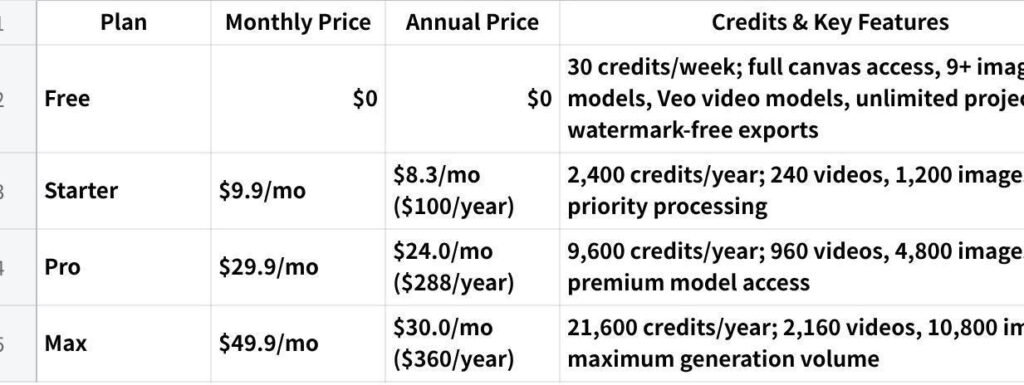
点击图片可查看完整电子表格
| All paid plans include Veo 3.1 access, HD watermark-free downloads, batch generation, and full version history. Unused credits roll over. Cancel anytime. |
Conclusion
The quality of a visual production workflow is determined not just by the models available, but by how well those models connect into a repeatable production system. SuperMaker’s multi-model image generation platform — built inside the AI Canvas Workflow Studio — gives creators the ability to match the right model to every project, build automated Text → Image → Video pipelines visually, and export professional assets from a single workspace.
For creators who need both model flexibility and a complete visual production pipeline in one place, SuperMaker Studio is built exactly for that workflow. Start generating with 9+ image models free at supermaker.ai/studio — no credit card required.