In the modern digital world, data is the fuel that runs everything. From the weather app on your phone to the giant banking systems that handle your savings, data is constantly moving. But here is the catch: not every computer speaks the same language.
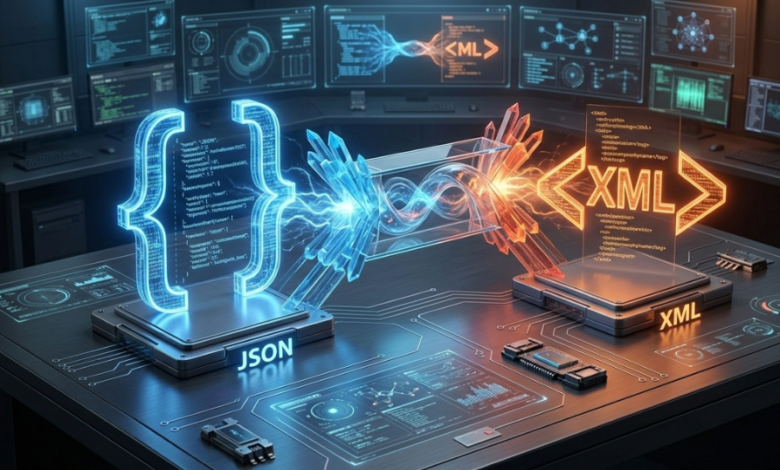
Two of the most popular “languages” (or formats) for data are JSON and XML. Sometimes, you have data in JSON but you need it in XML. That is where JSON to XML online conversion comes into play.
In this guide, we will break down everything you need to know about these formats in the simplest way possible. Whether you are a pro coder or a student just starting out, this article is for you.
What is JSON? (The Simple Version)
JSON stands for JavaScript Object Notation. Think of it like a very neat grocery list. It uses curly brackets { } and colons : to organize information.
Example of JSON:
JSON
{
“Fruit”: “Apple”,
“Color”: “Red”,
“Taste”: “Sweet”
}
It is very popular today because it is “lightweight.” This means it doesn’t take up much space and travels very fast across the internet. Most mobile apps love JSON because it makes them run smoothly.
What is XML? (The Detailed Version)
XML stands for eXtensible Markup Language. If JSON is a grocery list, XML is like a formal business letter. It uses “tags” that look like little angled brackets < >.
Example of XML:
XML
<Snack>
<Fruit>Apple</Fruit>
<Color>Red</Color>
<Taste>Sweet</Taste>
</Snack>
XML has been around for a long time. It is very strict and organized. Big companies, banks, and government websites often use XML because it is great at handling complex data that needs to stay perfectly structured.
Why Do We Need to Convert JSON to XML?
You might wonder, “If JSON is so fast and modern, why would anyone want to change it back to the older XML?”
There are several “Real-World” reasons for this:
1. Compatibility with Older Systems
Imagine you have a brand-new electric car, but the only charging station in town uses an old-fashioned plug. You need an adapter. Similarly, many big companies use “Legacy Systems” (older software). These systems only understand XML. If you want to send them data from your modern JSON app, you must convert it first.
2. Industry Requirements
Certain industries, like healthcare or international shipping, have set rules. They decided years ago to use XML for everything. To work with them, you have to follow their rules and provide data in XML format.
3. Better Document Structure
XML is excellent for creating “documents” rather than just “data.” If you are trying to create a complex digital book or a detailed invoice with many layers, XML often does a better job of keeping things organized.
How to Use a JSON to XML Online Converter
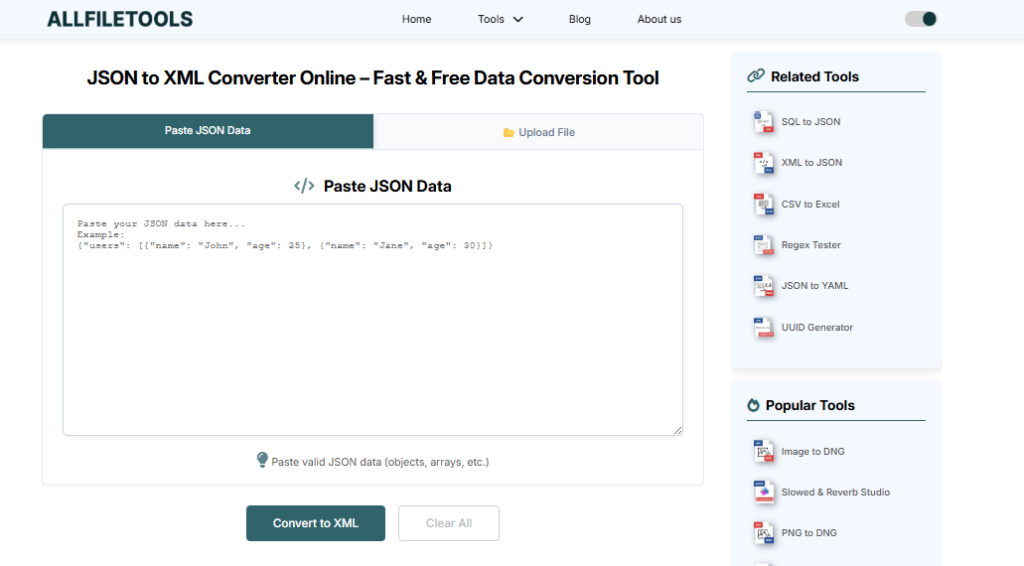
The best part about the internet today is that you don’t need to be a math genius or a computer scientist to convert files. Online tools make it as easy as 1-2-3.
Step 1: Copy Your Data
Go to your source file and highlight all the JSON code. Right-click and hit Copy.
Step 2: Paste into the Tool
Find a reliable JSON to XML online converter. You will see a big empty box. Click inside that box and hit Paste.
Step 3: Click Convert and Save
Most tools have a big button that says “Convert” or “Transform.” Once you click it, the XML version will appear instantly. You can then copy it or download it as a new file.
See also: The Power of XRF Technology in Modern Analytical Laboratories
What Makes a “Good” Online Converter?
Not all tools are created equal. If you are looking for the best experience, look for these features:
- Privacy and Security: Since your data might contain personal info, use a tool that promises to delete your data from their servers after you are done.
- Syntax Highlighting: This is a fancy way of saying “colors.” A good tool uses different colors for different parts of the code so it is easy for your eyes to read.
- Error Detection: If your JSON code has a mistake (like a missing comma), a smart converter will tell you exactly where the problem is so you can fix it.
- Speed: No one likes to wait. The conversion should happen in less than a second.
JSON vs. XML: A Quick Comparison Table
To help you understand which one to use when, here is a simple breakdown:
| Feature | JSON | XML |
| Readability | Very easy for humans | Easy, but can get messy |
| Speed | Very Fast | Slightly Slower |
| File Size | Small/Light | Larger/Heavy |
| Setup | Simple (Lists) | Complex (Tags) |
| Best For | Mobile Apps & Web | Banks & Large Documents |
Common Mistakes to Avoid During Conversion
Even with the best tools, things can sometimes go wrong. Here is how to keep your data safe:
- Don’t Forget the Root Element: XML requires one “Main Tag” that wraps around everything else. Some converters add this for you, but some don’t. Always check if your XML starts and ends with a matching tag.
- Watch Out for Special Characters: Characters like & or < can confuse XML. Make sure your converter handles these correctly so your file doesn’t “break.”
- Check for Empty Values: JSON handles empty data differently than XML. Always double-check your converted file to make sure no important information went missing.
The Future: Is XML Going Away?
Many people thought XML would disappear once JSON became popular. But the truth is, XML is still very much alive.
Think of it like books and e-readers. E-readers (JSON) are convenient and light, but physical books (XML) are reliable and great for long-term storage. Both have a place in our world. Learning how to convert between them is a superpower that will help you navigate the world of technology much more easily.
Conclusion
Converting JSON to XML doesn’t have to be a headache. With the right online tools and a basic understanding of how tags and lists work, anyone can do it. Whether you are doing it for a school project or to help a big business sync their data, remember that these tools are there to make your life easier.
The digital world is all about communication. By knowing how to translate JSON into XML, you are making sure that no matter how old or new a computer system is, your message gets through loud and clear.
🔹 Explore more powerful file conversion and online utilities at AllFileTools –
🔹 For technical support, digital solutions, and expert services, visit LetDigitalFly IT Services –
🔹 Discover additional career and productivity resources at Resume Slip Builder –
Quick Frequently Asked Questions (FAQs)
Q: Is it safe to use online converters for private data?
A: Always check the website’s privacy policy. For very sensitive data (like passwords), it is better to use an offline tool on your own computer.
Q: Does converting JSON to XML change the actual information?
A: No. It only changes the “wrapper” or the look of the data. The information inside stays exactly the same.
Q: Can I convert XML back to JSON?
A: Absolutely! Most online tools offer conversion in both directions.
Q: Do I need to pay for these tools?
A: Most of the best converters are 100% free to use.